Table of Contents (11 sections)
In an age where technology interlaces seamlessly with our daily lives, understanding smart gadgets for home automation is crucial. These devices enable individuals to control various aspects of their homes remotely, maximizing comfort and ease of use.
With the rise in popularity of the Internet of Things (IoT), the concept of home automation has evolved significantly. From lights that adjust to your routines to security systems that protect your home, myriad gadgets are designed to simplify tasks, save energy, and enhance security.
1. Understanding Home Automation
Home automation refers to the control of home appliances and systems through connected devices. This technology allows users to remotely manage lighting, temperature, entertainment systems, security, and more, often through smartphones or centralized systems.
The importance of smart home gadgets lies in their ability to offer convenience and efficiency. According to a report from Statista, the global smart home market is projected to reach approximately 135 billion U.S. dollars by 2025, illustrating a booming interest in these technologies.
Moreover, home automation contributes to energy savings. For instance, smart thermostats can learn your schedule and adjust heating or cooling systems accordingly, potentially reducing energy costs by 10-15% annually, as reported by EnergyStar.
2. Getting Started with Smart Gadgets
Getting started with home automation involves several steps:
- Assess Your Needs: Evaluate which areas of your home could benefit from automation. Common applications include lighting, heating, and security.
- Choose a Central Hub: A hub serves as the heart of your home automation setup, connecting various devices and allowing for easy control.
- Select Compatible Devices: Not all gadgets work seamlessly together. Choose products that are compatible with your hub and with each other.
- Install and Configure: Follow the manufacturer’s instructions for installation and setup. Often, this involves downloading an app and connecting devices to your home Wi-Fi.
- Customize Settings: Take time to personalize device settings for optimal performance.
- Monitor and Adjust: Regularly check the effectiveness of your setup and make adjustments as needed. Automation is an ongoing process of fine-tuning.
3. Essential Smart Gadgets to Consider
When it comes to smart gadgets for home automation, there are some key categories to explore:
- Smart Lighting: Devices that allow personalized lighting control based on time, mood, or activity.
- Smart Thermostats: Products that help manage heating and cooling for energy efficiency.
- Smart Security Systems: Cameras and alarms that monitor your home and provide real-time alerts.
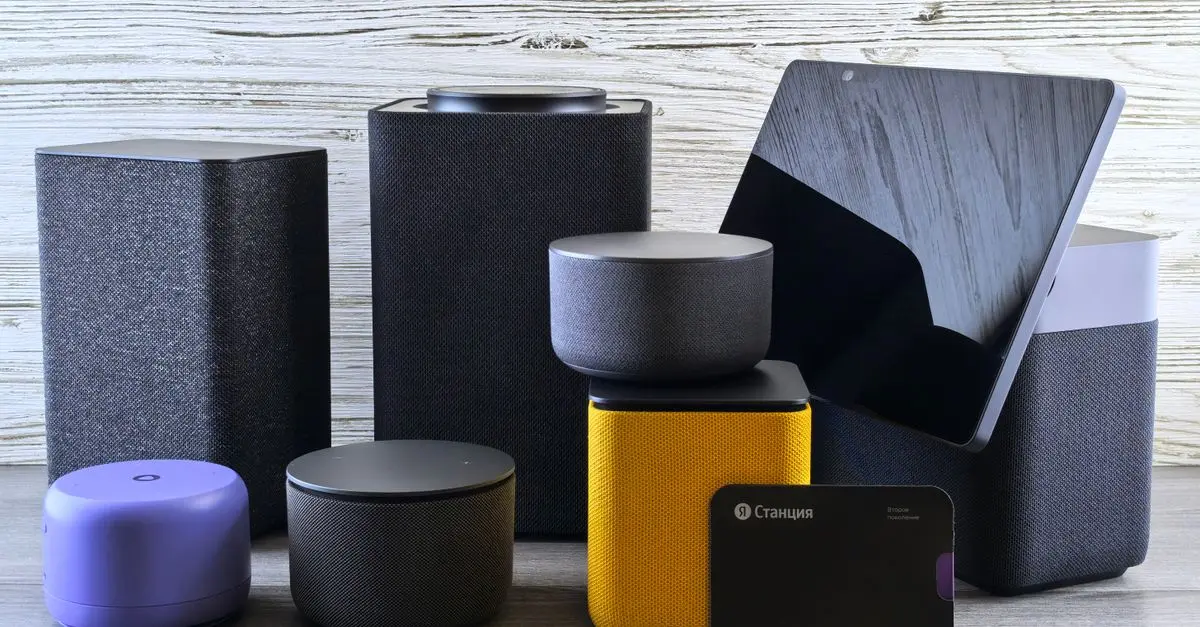
- Smart Speakers: These devices can control other smart home features through voice commands.
- Smart Appliances: Refrigerators, washers, and ovens that enhance convenience and energy efficiency.
4. Home Automation Comparison
To help decide which products are best for your needs, here’s a comparative overview of essential smart gadgets:
| Feature | Smart Lighting Device | Smart Thermostat | Smart Security Camera | Smart Speaker |
|---|---|---|---|---|
| Installation | Easy | Moderate | Easy | Easy |
| Energy Usage | Low | Low | Low | Moderate |
| Remote Control | Yes | Yes | Yes | Yes |
| Voice Assistant | No | No | No | Yes |
| Price Range | $20 - $150 | $100 - $300 | $50 - $250 | $50 - $200 |
| Verdict | Great for ambiance | Energy saver | Home security | Entertainment |
💡 Expert Opinion: Regular maintenance and awareness of security updates can mitigate risks and enhance the performance of your home automation setup.
📺 Resource Video
> 📺 For further insight: How to Choose the Best Smart Home Devices, a comprehensive guide. Search on YouTube: "best smart gadgets for home automation 2026".
Checklist before Purchase
- [ ] Define areas to automate
- [ ] Research compatible devices
- [ ] Determine budget limits
- [ ] Read reviews for effectiveness
- [ ] Check for warranty and support

Glossary
| Term | Definition |
|---|---|
| Home Automation | The use of technology to control home systems remotely. |
| Smart Hub | Device that connects all smart gadgets for centralized control. |
| IoT | Internet of Things - interconnected devices that collect data. |
Discover our carefully selected products below to enhance your home automation experience.
📺 Pour aller plus loin : best smart gadgets for home automation 2026 sur YouTube
Recommended products
Selected by our experts
Oddsparks: An Automation Adventure - Deluxe Edition PC
loaded.com
This product provides an engaging and interactive way to understand automation, making it perfect for tech enthusiasts.