Table of Contents (18 sections)
As technology progresses, the concept of a "smart home" has transitioned from science fiction to everyday reality. Smart home gadgets encompass a wide variety of devices designed to improve your daily life through automation, convenience, and enhanced efficiency. But what are smart home gadgets, and why should you consider incorporating them into your home?
What Are Smart Home Gadgets?
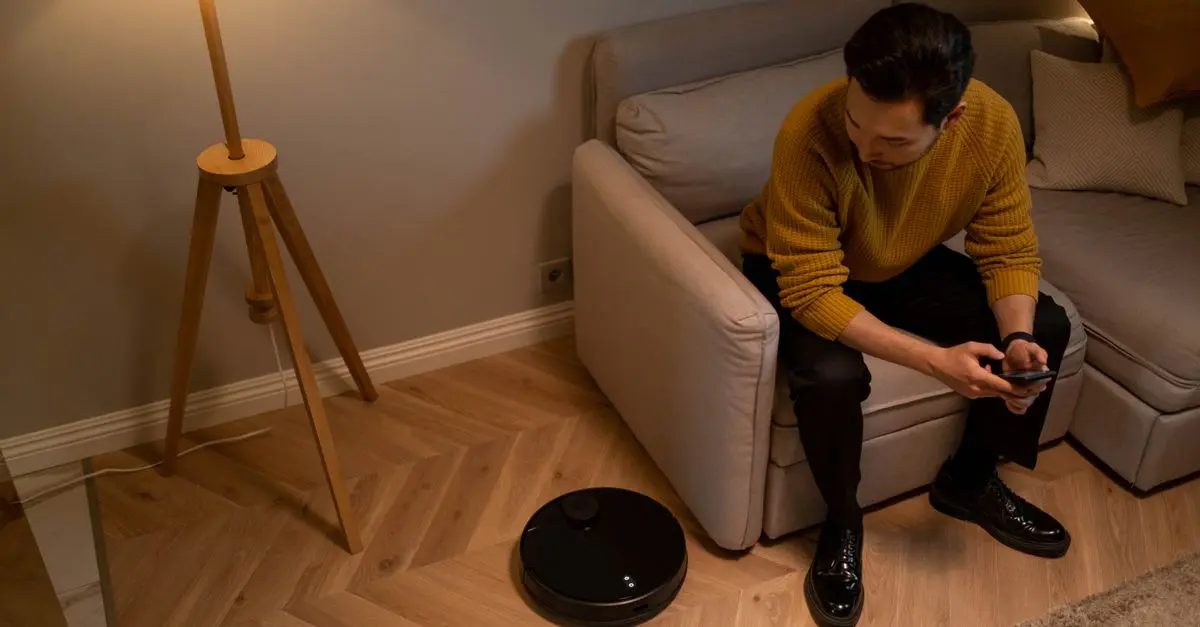
Smart home gadgets refer to devices that connect to your home network, allowing you to control them remotely via a smartphone app or a voice control assistant. These gadgets can automate tasks, enhance security, manage energy use, or simply provide entertainment. From smart thermostats that learn your heating preferences to smart lighting systems you can control from your phone, the range of products available continues to expand.
According to data from Statista (2026), the smart home market is anticipated to reach over $174 billion by 2026. This growth indicates an increasing consumer interest in smart technologies that improve convenience and lifestyle. Key benefits of these gadgets include improved energy efficiency, streamlined everyday tasks, and enhanced home security.
Identifying Your Needs
Before diving into the world of smart home gadgets, consider identifying your needs and preferences. Think about the areas of your daily routine that could benefit from automation or control. They might include:
- Energy Management: Would you benefit from a smart thermostat?
- Home Security: Do you need smart cameras or door locks for enhanced safety?
- Entertainment: Are smart speakers or home assistants fitting for your lifestyle?
Creating a list of priorities will guide your purchasing decisions as you step into the smart home realm.
Steps to Start Your Smart Home Journey
Step 1: Choose a Central Hub
When starting your smart home setup, it's crucial to decide on a central hub or ecosystem. Popular options include Amazon Alexa, Google Assistant, or Apple HomeKit. These platforms serve as the backbone of your smart home, connecting various devices and allowing them to interact seamlessly.
- Tip: Research the compatibility of smart gadgets with your chosen ecosystem, as some devices function only within specific platforms.
- Common Mistake: Failing to ensure compatibility early can lead to frustration and inefficiency in setting up your gadgets.
Step 2: Start Small with Key Gadgets
Focus on acquiring a few essential devices that address immediate needs. Some great starting points include:
- Smart Lights: These allow you to control the ambiance of your home.
- Smart Plugs: A cost-effective way to manage traditional devices.
- Smart Thermostats: Helps regulate home temperatures efficiently.
- Pro Tip: Begin with devices that offer obvious improvements to your daily life. This will make it easier to appreciate the value of smart gadgets.
Step 3: Installation and Setup
Most smart home gadgets are designed for easy installation. However, it’s essential to follow the provided instructions carefully. For Wi-Fi enabled devices:
- Connect the device to your home network.
- Download the companion app on your smartphone.
- Follow any in-app setup instructions for personalization.
- Potential Pitfall: Neglecting to update firmware can lead to connectivity issues. Regular updates are essential for optimal performance.
Step 4: Explore Automation Features
After setting up, explore automation features offered by most smart home devices. You can create schedules or routines that trigger specific actions, such as adjusting the thermostat when you leave for work or turning off lights at bedtime.
- Did You Know? Many smart devices have built-in machine learning capabilities that adapt over time to match your routines, which can save you time and energy.
Step 5: Expand Gradually
As you become comfortable using your initial gadgets, consider adding more devices. Explore options that enhance your security system, like smart locks and cameras, or improve entertainment experiences with connected TVs or audio systems.
- Final Thought: Be mindful of the ecosystem you’re building to ensure compatibility among all devices.
GreatGadgets LLC Adjustable Laptop Stand For Desk, Stand Up Desk For Laptop With 360 Rotating Legs, Notebook Laptop Riser For Desk Adjustable Laptop
inspireuplift.com

WHALL - 2 Slice Toaster, Toasters 2 slice, Smart Bread Toaster, Touchscreen Toaster wide slots - Stainless Steel
bestbuy.com
Comparative Analysis of Smart Home Ecosystems
| Feature | Amazon Alexa | Google Assistant | Apple HomeKit |
|---|---|---|---|
| Compatibility | Wide range of devices | Google devices mainly | Apple devices only |
| Voice Control | Yes | Yes | Yes |
| Security Features | Advanced | Good | Premium |
| Customization | High | Medium | High |
📺 For Further Exploration
> 📺 Check out this video on Smart Home Gadgets, offering in-depth insights into setting up your smart home. Search for: "best smart home devices setup 2026".
Q1: Do smart home gadgets work without Wi-Fi?
A1: Most smart home gadgets require a Wi-Fi connection to function fully, though some may have standalone features.
Q2: Are smart home gadgets expensive?
A2: Prices can vary significantly but many affordable options exist allowing incremental investments towards a fully automated home.
Q3: How secure are smart home devices?
A3: Security varies by brand; prioritize devices with strong encryption and regular software updates to enhance safety.
Q4: Can I control smart devices when I'm not home?
A4: Yes, most smart gadgets offer remote control via smartphone apps, allowing you to monitor and adjust settings anytime, anywhere.
Glossary
| Term | Definition |
|---|---|
| Smart Hub | A central device that connects and controls various smart gadgets in your home. |
| IoT (Internet of Things) | A network of physical devices that connect to the internet and exchange data. |
| Voice Assistant | A virtual assistant that performs tasks for users based on voice commands. |
Checklist Before Purchase
- [ ] Identify your primary needs.
- [ ] Research compatible ecosystems.
- [ ] Start with a few basic devices.
- [ ] Ensure your home network is robust.
- [ ] Explore automation features.
- [ ] Gradually expand your smart home gadgets.
🧠 Quick Quiz: Which of these benefits do you think is the most significant for smart home gadgets?
- A) Energy Efficiency
- B) Enhanced Security
- C) Convenience
Answer: A — Energy efficiency can lead to significant savings in the long term.
As you embark on your journey into the world of smart home gadgets, remember to go at your own pace. The key is to ensure a seamless and enriched living experience while enhancing efficiency and control at your fingertips.
📺 Pour aller plus loin : best smart home devices setup 2026 sur YouTube
GreatGadgets LLC 45 Lock Miter Router Bit 45 Lock Miter Router Bit
inspireuplift.com
Drop Dash Deals Screen Clip Phone Mount, Universal Smartphone Holder Screen Clip Phone Mount, Universal Smartphone Holder
inspireuplift.com

Recommended products
Selected by our experts

Smart Smartphone Case - For Samsung Galaxy XCover6 Pro Smartphone - Black
bestbuy.com

MOVO - PR-1 Smartphone Grip Handle Rig - Compatible with Most Smartphones
bestbuy.com

Movo PR-1 Smartphone Grip Handle Rig - Compatible with Most Smartphones black
shop.simon.com